Annotations
Mark launches, campaigns and incidents on your timeline so traffic changes make sense later.
A spike in March means more when you can see “Product Hunt launch” next to it.
- Open Annotations in the sidebar.
- Select Site.
- Choose Add Annotation.
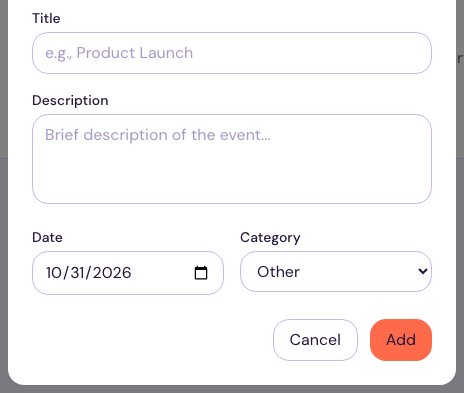
- Fill in a Title, an optional Description, and the Date it happened.
- Pick a Category: Release, Campaign, Incident or Other.
- Choose Add.