API keys
Read your analytics from your own code, scripts and dashboards.
- Open API Keys in the sidebar.
- Choose Create API Key.
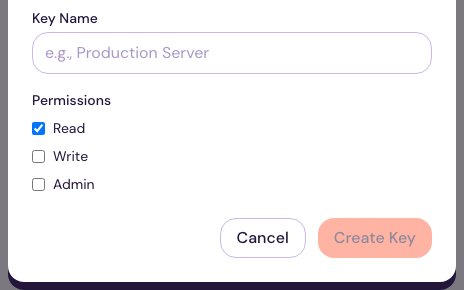
- Give it a Key Name that says where it’s used (for example “Weekly KPI script”).
- Pick its Permissions: Read, Write and/or Admin. Give each key only what it needs; most scripts need Read only.
- Choose Create Key, and copy the key somewhere safe.
Treat a key like a password. If one leaks or you stop using it, choose Revoke next to it; anything using that key stops working immediately.
What you can do with a key: see the API reference.