Share and export
Give someone read-only access with a link, embed your stats, or download a CSV.
Share a read-only link
- Open the site, then choose Share in its sidebar.
- On Share Link, pick a Link Expiration: 1 day, 7 days, 30 days, 90 days, or never.
- Choose Create Link and send the link to whoever needs it.
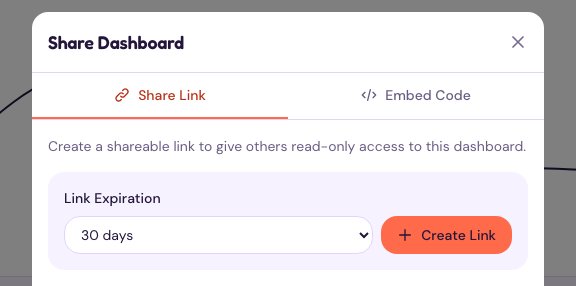
Anyone with the link can view that site’s analytics, without an account, until the link expires or you revoke it. They can’t change anything.
Embed your stats on another page
Embedding builds on a share link. Create one first (above), then open the Embed Code tab in the same Share dialog and copy the snippet into your website or blog. If you haven’t made a link yet, the tab offers Create Share Link.
Download your data as CSV
Open the site and choose Export in its sidebar. A CSV file for the date range you’re viewing downloads straight away, named after the site and range (for example example.com-analytics-7d-2026-10-30.csv). Pick a different range first if you need one.